Public payment guide
See how to pay before you order.
The Goods Desk does not collect card payments on this website. After you approve the final quote or invoice, you can pay through the Alipay remittance portal using Panda Remit.
Current payment method
Alipay + Panda Remit
- When to pay
- After the final quote or invoice is confirmed
- Where to start
- Alipay international remittance portal
- Transfer provider
- Panda Remit (熊猫速汇)
Never send money from an unconfirmed message or altered invoice. Match the verified recipient details exactly and contact the desk if anything looks different.
Alipay + Panda Remit
Step-by-step
- 01
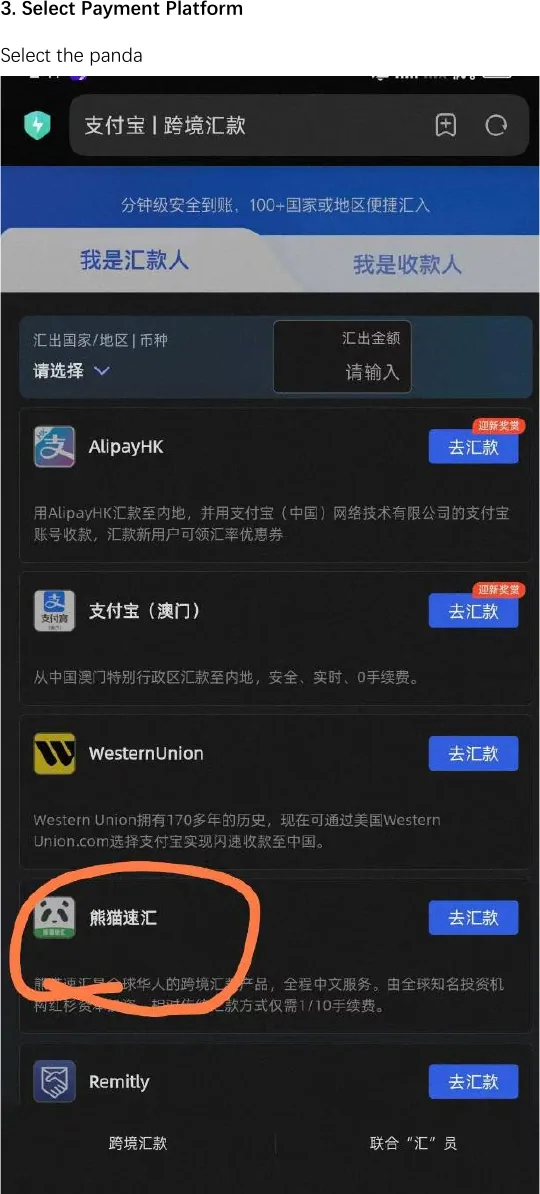
Choose Panda Remit
From the Alipay remittance portal, select Panda Remit (熊猫速汇).
- 02
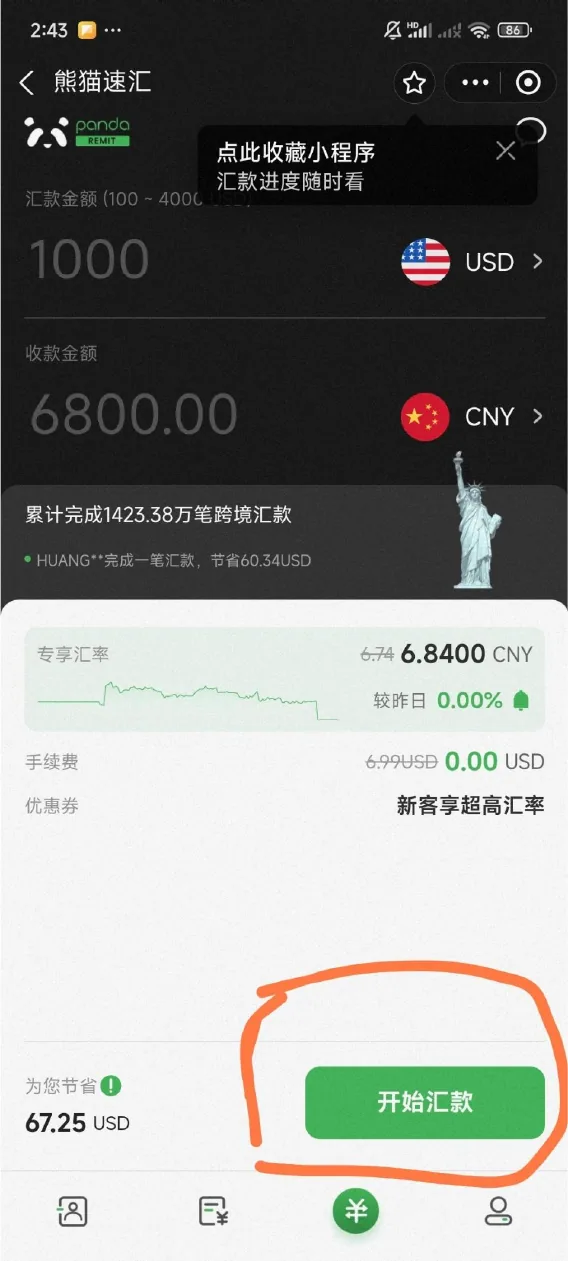
Start a remittance
Open Panda Remit and tap the green start-remittance button shown in the app.
- 03
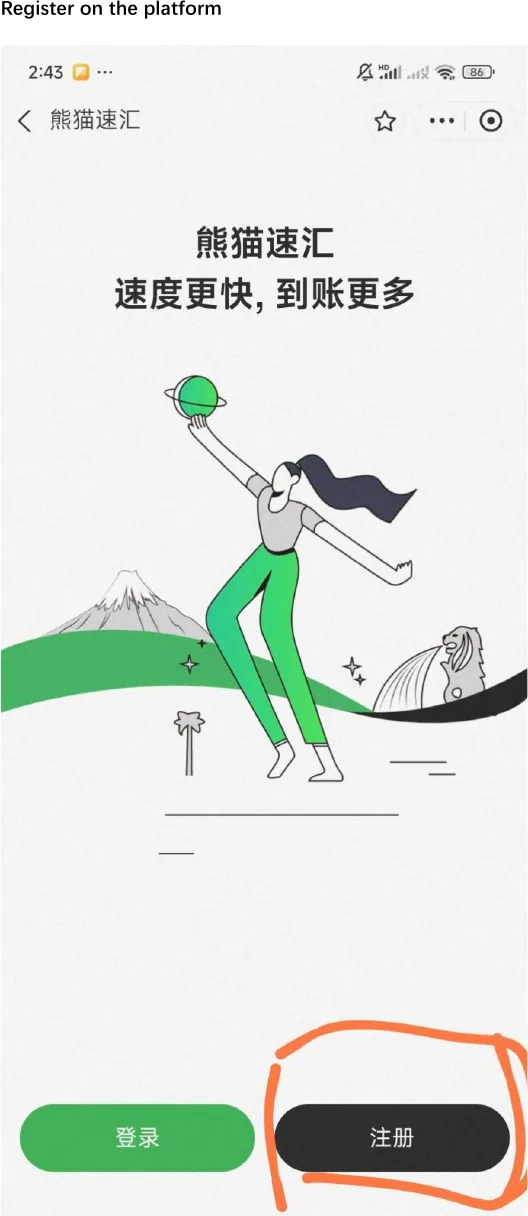
Create your account
Choose Register (注册) if this is your first transfer.
- 04
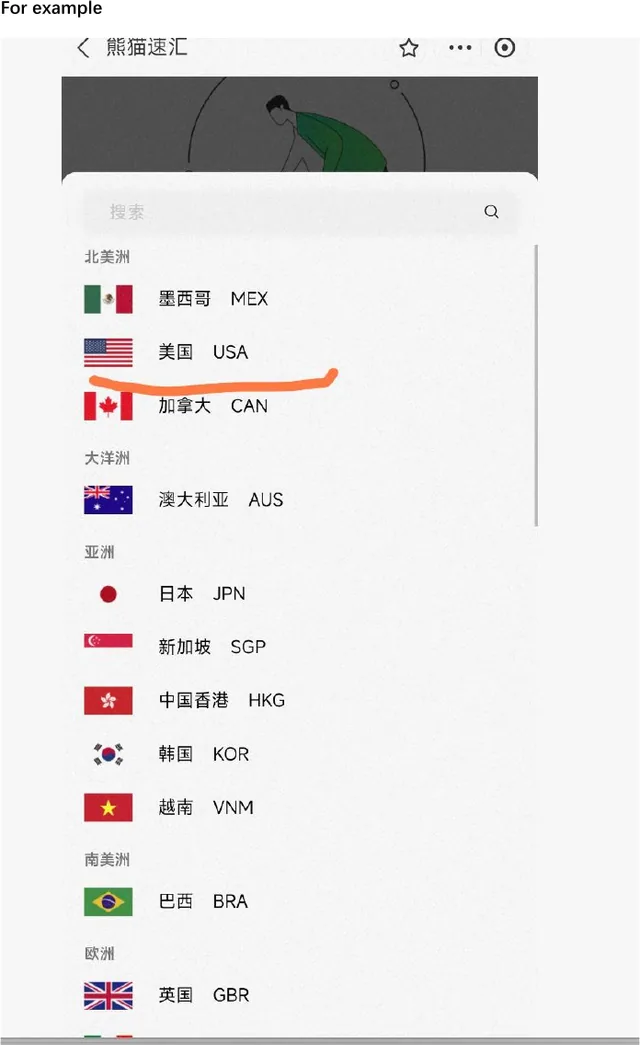
Choose your region
Select the country or region from which you are sending money.

- 05
Confirm the supported route
The list in Panda Remit shows currently supported sending countries and regions.
- 06
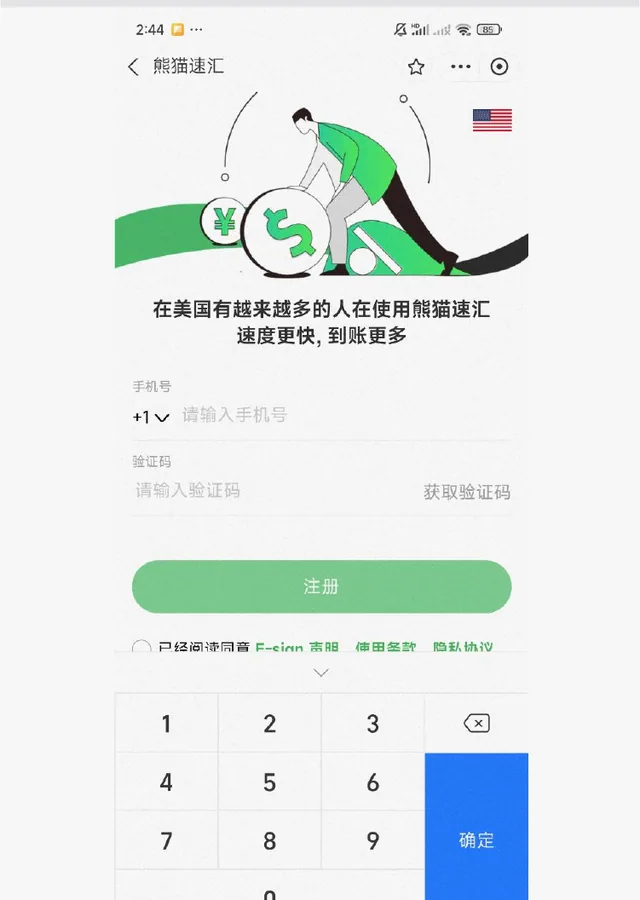
Register your phone
Enter your mobile number, complete verification, and continue in the app.